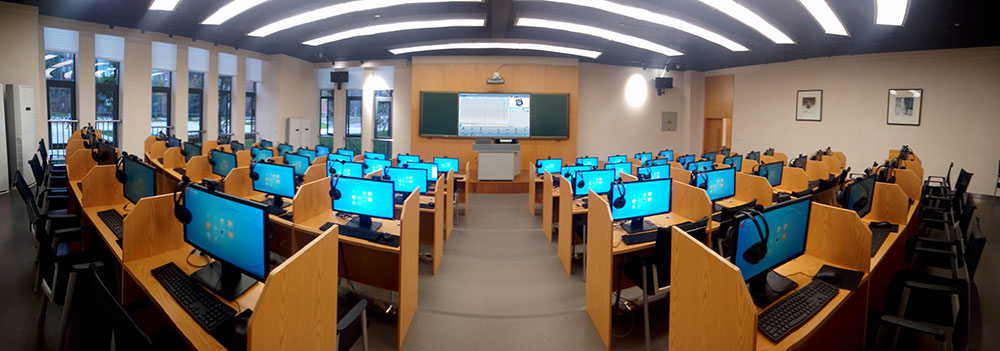
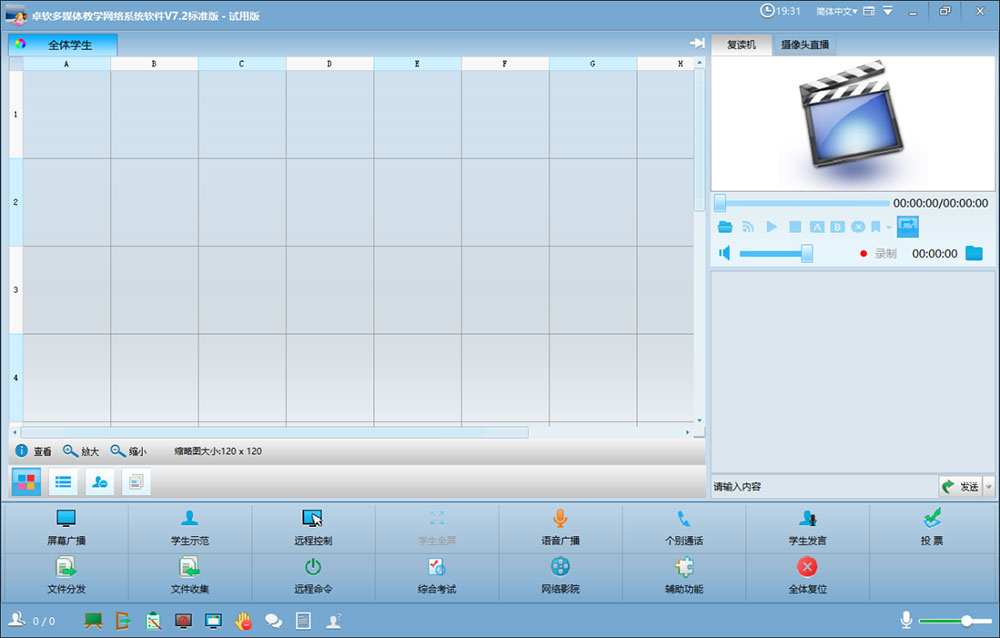
Interactive multimedia teaching experience
Support large screen or projection, smoother screen broadcast; New video driver core, greatly improve the performance of the screen broadcast, support Direct3D and OpenGL, cascade all sorts of 2 d / 3 d window screen, such as multimedia courseware of film / / PhotoShop/PowerPoint/AutoCAD / 3 d software can be very fluent broadcasts without delay
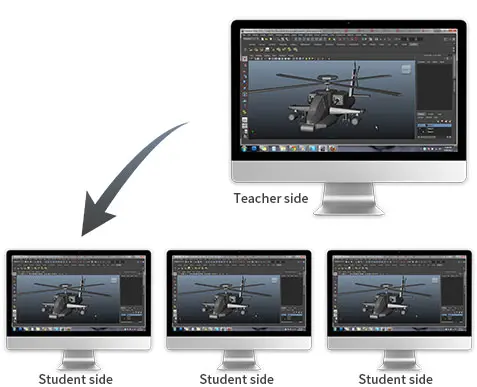
Complete intelligent teaching environment
Classroom teaching: including screen broadcast, class model, homework sending and receiving, collaborative learning between teachers and students, in-class assessment and other functions.
Smooth network audio and video broadcast function
It can release 16 audio and video programs at the same time, and students can choose programs to watch according to their own interests. It supports 0.5-2 times variable speed and unchanged tone, and supports 4K video broadcasting.
Webcam live
Extremely smooth and clear live broadcast function, the teacher machine can be cameras, cameras and other peripheral content collected live broadcast to students, the live broadcast effect is smooth without delay; Perfectly supports 1920*1080P resolution.
Projection broadcast
With the projection broadcast function, you can broadcast the content of the display signal of other computers to the student side, which is ideal for broadcasting a variety of screens, such as games, Apple and Android operations.
Multi-system compatibility
Support XP/WIN7/WIN8/WIN10 32-bit and 64-bit operating systems, can change the size of thumbnail, group discussion, topic discussion, voting, with broadcast, student demonstration, student seat name can be modified into the Chinese name of the student.
Repeat reader function
In the teaching process, the teacher may play fast or slow down the audio and video playback speed and do not change the pitch level, variable speed does not change the tone range 0.5-2 times the speed, support the label function, support 4K video playback, students and teachers play simultaneously.
Multilingual teaching support
The professional version supports the interface of more than ten countries such as China/UK/Russia/Japan/Korea/Spain/Vietnam/Thailand/Germany/France/Italy, and you can switch various interfaces without closing the software.
Network movie function
Smooth network audio and video playback function, can release 16 channels of audio and video programs at the same time, students can choose programs to watch according to their own interests, support 4K video playback.
Perfect classroom teaching management function
The driver level process is anti-kill, and the security software such as 360 uses the same technology, supports 32 and 64 bit operating systems, and ensures that students cannot easily crack. Support application restrictions, directory restrictions, Internet restrictions, U disk restrictions, optical drive restrictions, printer restrictions, etc. The student side has very good process protection capability in both 32-bit and 64-bit systems. Prevents students from using taskkill /im processname /f, ntsd -c q -p processname, and wmic process where name="processname" in task manager and cmd command window The delete command terminates the process on the student end, and supports network disconnection and screen lock.
Professional examination system
1) Question type support: judgment questions, writing questions, translation questions, fill-in-the-blank questions, wrong questions, multiple choice questions, text-picture connection questions, text-text connection questions, sorting questions, picture multiple choice questions
2) Test paper editing: tools used by teachers to create, edit or save test papers;
3) Examination process - teacher side: including paper distribution, examination and collection; Each time students answer a question, the teacher will show the results in real time; In the form of an answer sheet instead of an answer sheet, students do not need to go back and forth between the questionnaire and the answer sheet.
4) Exam process - student side: A questions that have not been answered are marked; B Full touch screen; C Support students to submit answers manually, independent examination after the examination can get the test results immediately; D Answer paper function, can record the process of students answer
marking
Using this function, teachers can evaluate students' test papers and view test statistics.